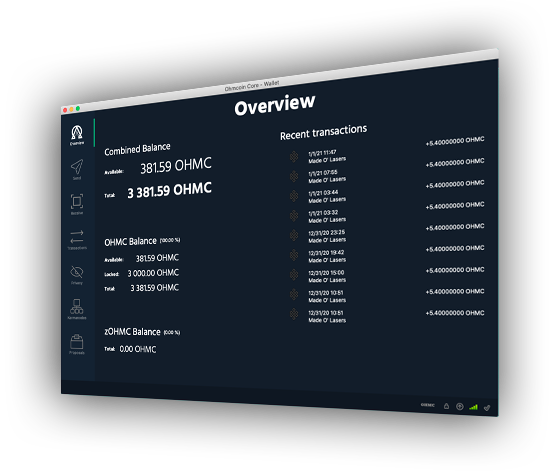
Decentralized Crowdfunding

FOR THINGS THAT MATTER

Fast. Efficient. Cryptocurrency Donation Platform

header image

Support Ohmcoin and Earn Rewards

Choose the following guides below to learn how to earn rewards through staking or by hosting a karmanode.

Image

Staking Guide

Simple Guild on how to stake

  • Karmnode Guide

    Staking Ohmcoin is not the only way to support the ohmcoin network, by setting up a karmanode you can earn rewards while helping process transactions. The following guide will help you get started

    Requirements

    • Password protected wallet with at least 3001 Ohmcoin available
    • Root access to a Linux VPS such as one from Vultr(Ubuntu 18 with 2GB or higher recommended. 4GB Preferred)
    • IP Address for your VPS
    • Access to a terminal or equivalent to ssh into your VPS via your own computer.
      • *nix: Terminal, xTerm or equivalent
      • Mac: Terminal (found in /Applications/utilities)
      • Windows: Putty or equivalent
      • A sandwich and drink(optional)
  • VPS Setup and Security

    Using your computer use a terminal to log into your VPS root account via ssh
    example: ssh root@127.0.0.1
    Note: the following can be copy and pasted into your terminal. Please pay close attention to notes in each section.

    Set up swap space(virtual memory)

    fallocate -l 4G /swapfile && chmod 600 /swapfile && mkswap /swapfile && swapon /swapfile && echo -e "/swapfile none swap sw 0 0 \n" >> /etc/fstab

    Copy
    Note: Usually the rule is swapspace should be the same size as available ram. In this case it is assumed 4G of ram is available. More Info

    Set up firewall

    ufw allow 22 && ufw allow 52020 && ufw enable

    Copy

    Secure ssh from bruteforce attacks

    apt install -y fail2ban && cp /etc/fail2ban/fail2ban.conf /etc/fail2ban/fail2ban.local && cp /etc/fail2ban/jail.conf /etc/fail2ban/jail.local && systemctl start fail2ban

    Copy
    More info on fail2ban

    Setup user(ohmcoin is an example, please use one you make up)

    adduser ohmcoin

    Copy
    Enter a new strong password
    Note: Entering the return key for the user information questions is fine and no information is required. Advanced users: It is not recommended to add the newly created user to the sudoers group, do so at your own risk.

    Install Prerequisites for Karmanode Install

    apt install -y wget unzip

    Copy
    Note: Do not close terminal
  • Send Collateral

    Create Karmanode Address and Send Funds

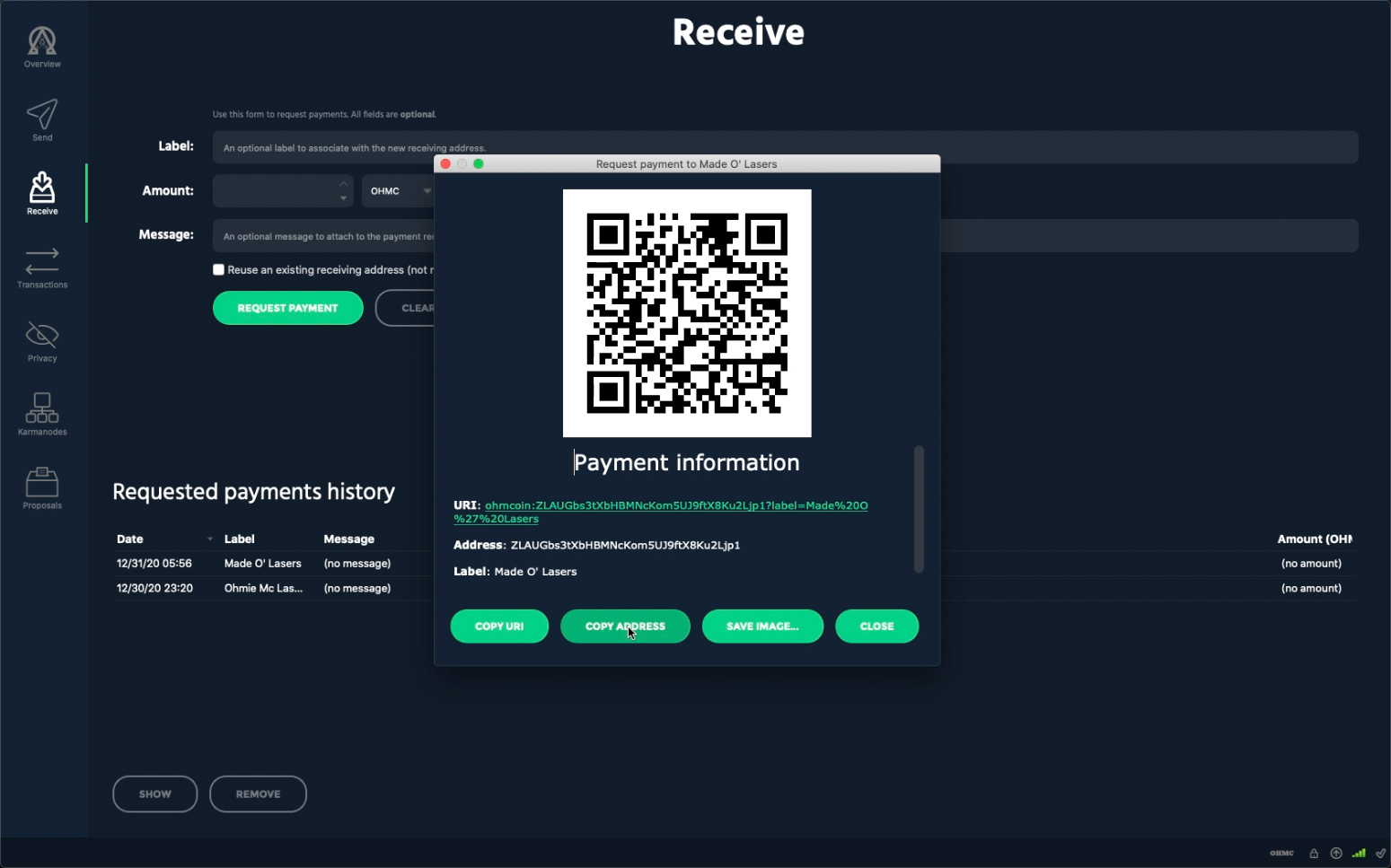
    Using your wallet on your computer, click on the "Receive" tab located on the left side of the wallet window.
    Enter a name in the text field to the right of the text "Label" and then click on the "Request Payment" button.
    Copy the newly created wallet address using the "Copy Address" button or highlighting and copying it manually.
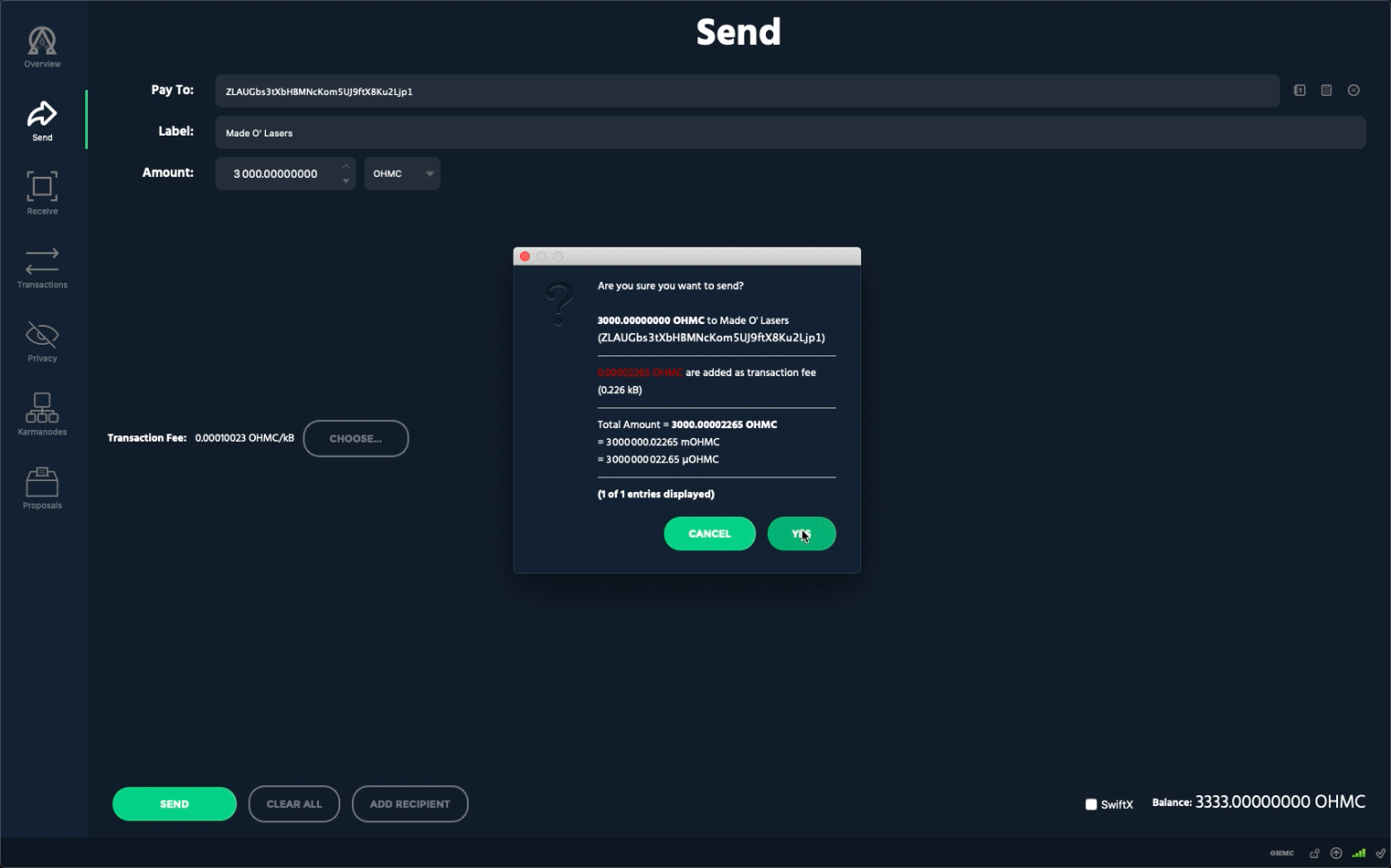
    Navigate to the Send page by clicking the "Send" tab located on the left side of the wallet window.
    Paste your newly created wallet address into the address text field to the right of the text "Pay To"
    Enter 3000 OHMC in the text field to the right of the text "Amount" and click "Send" found at the bottom left of the wallet.
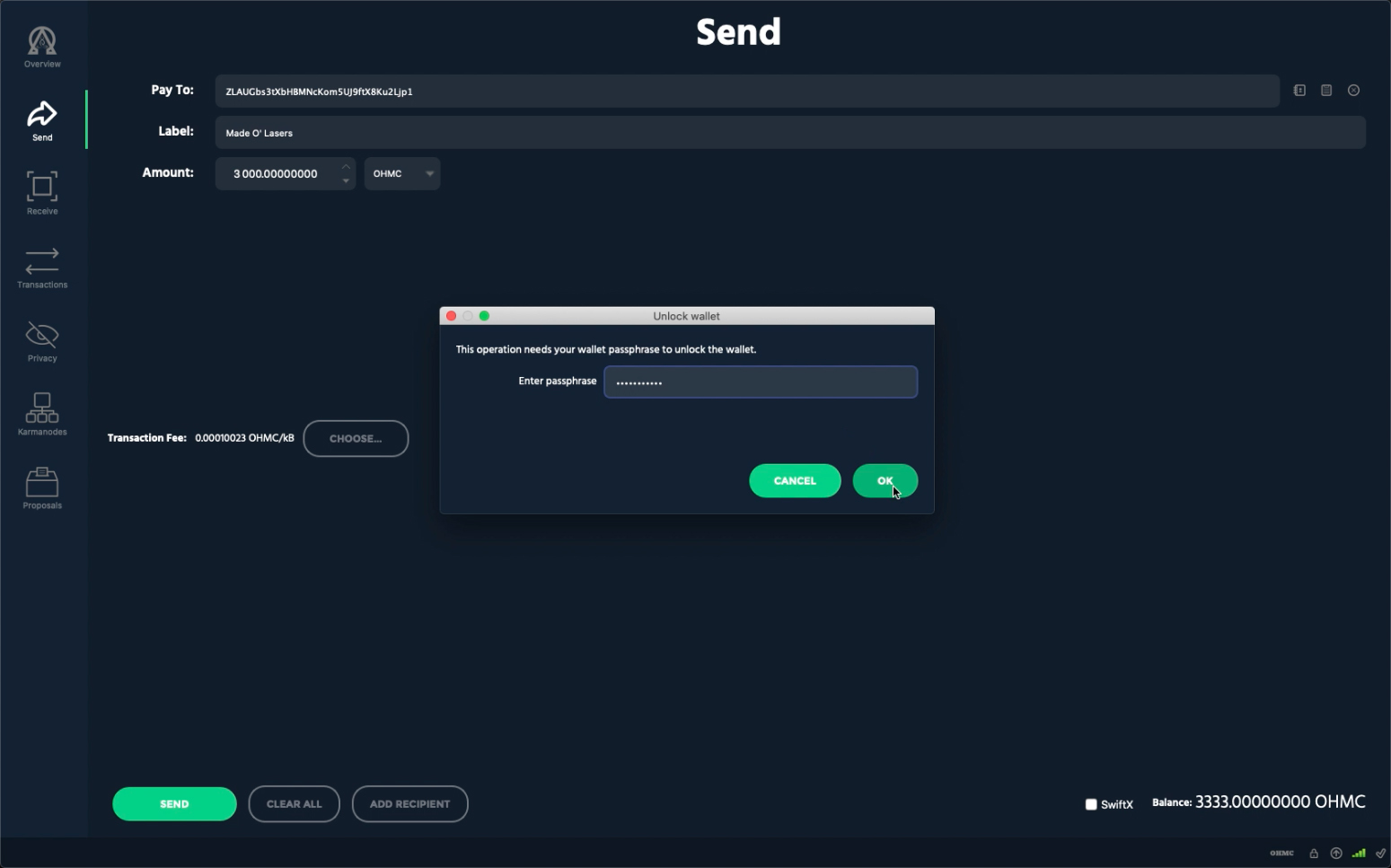
    If prompted for a password enter your password and click ok
  • Ohmcoin Daemon and Karmanode Start Up

    Download and Install Ohmcoin Daemon

    wget https://github.com/theohmproject/ohmcoin/releases/download/3.0.3.1/ohmcoin-3.0.3.1-x86_64-linux-gnu.tar.gz && tar -xvzf ohmcoin-3.0.3.1-x86_64-linux-gnu.tar.gz && mv ohmcoin*-cli ohmcoin-tx ohmcoind /usr/local/bin && rm -rf ohmcoin*

    Copy

    Login Into Perviously Made User(ohmcoin is our example please use the one use made up)

    su ohmcoin

    Copy

    Create .ohmc Directory and ohmc.conf

    cd && mkdir .ohmc && touch .ohmc/ohmc.conf

    Copy

    Download and Install Snapshot/Bootstrap(optional)

    wget https://www.ohmcoin.org/downloads/snapshot.zip && unzip snapshot.zip && mv blocks chainstate peers.dat .ohmc/ && rm -rf snapshot.zip readme.txt

    Copy

    Setup Karmanode Settings

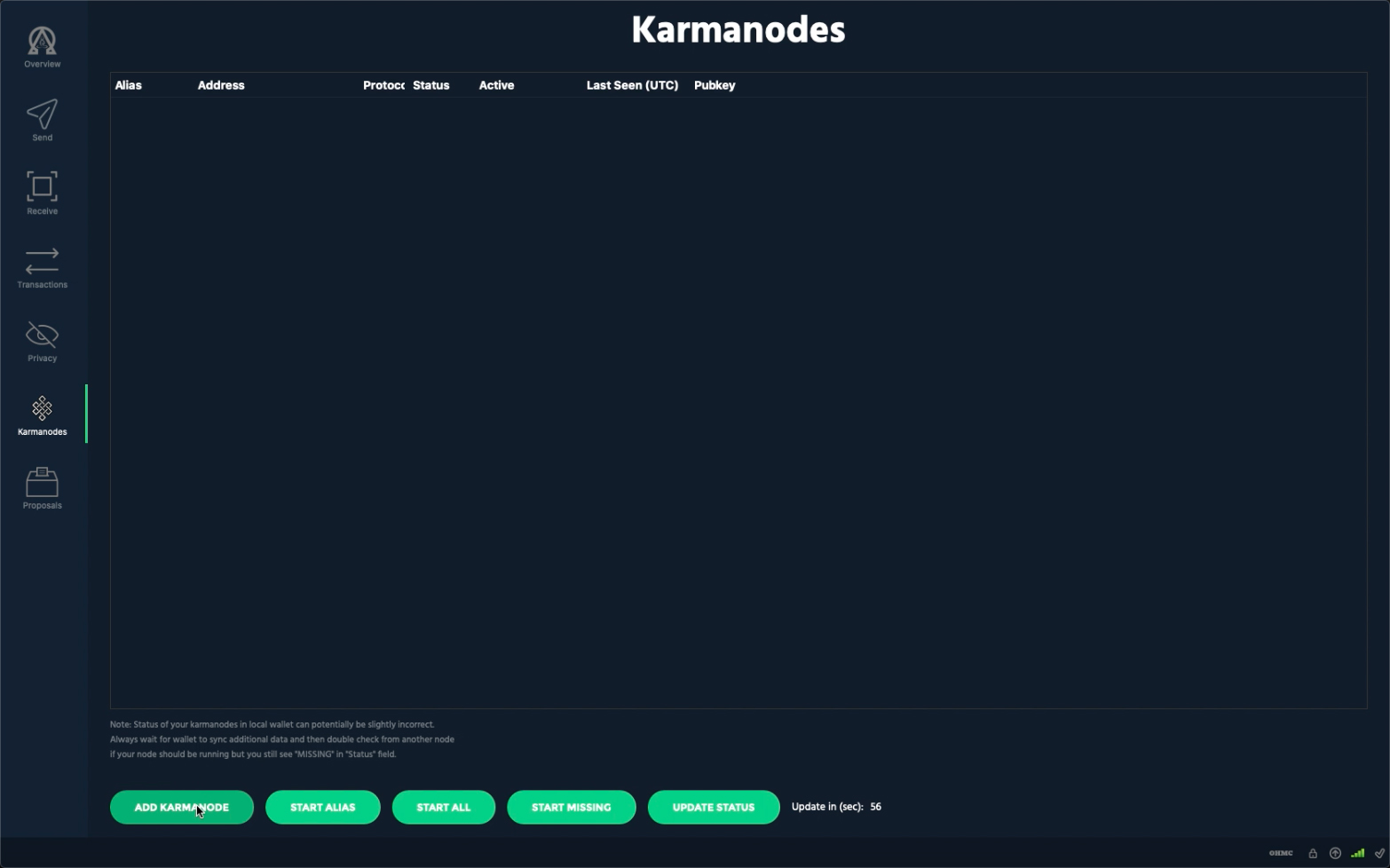
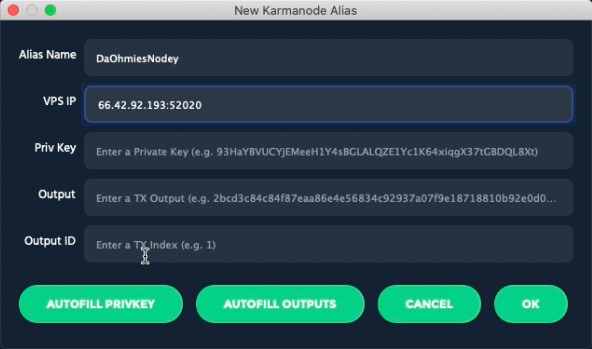
    By now the funds you sent have confirmed, so now you can create the needed karmanode settings. Using the wallet on your computer click on the "Karmanode" tab on the left side, then click on "Add Karmanode" on the bottom left.
    Enter a name for your karmanode and the ip address of your VPS with port 52020 at the end
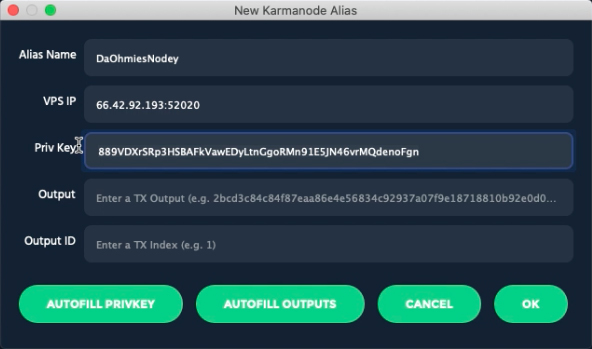
    Click on "Autofill PRIVKEY" and make sure to copy the privkey to finish setting up your ohmcoin daemon.
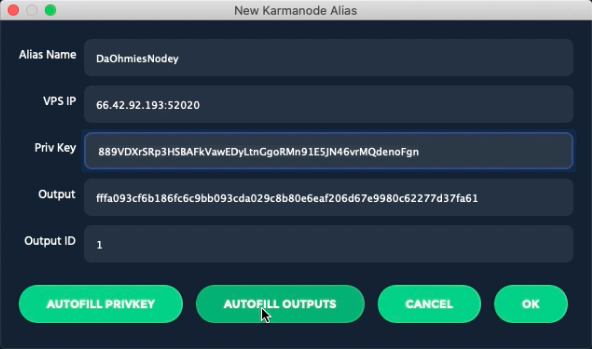
    Click on "Autofill OUTPUTS" then click "OK" on the bottom right

    Add Settings to ohmc.conf

    Now in your terminal we will add the needed settings to enable the karmnode on your VPS.
    nano .ohmc/ohmc.conf

    Copy
    Note: Make sure to paste your privkey that you created during the "Autofill PRIVKEY" step above and add your VPS ip address. (You may add them in the text are below and copy them over to your terminal.)

    Copy
    After you finish entering the above information you will need to save the file by using the key command control - o(ie press the control key and the letter O key at the same time), press the return key and then enter the command key control - x(ie press the control key and the letter X at the same time)

    Start Ohmcoin

    The following will start your ohmcoin daemon
    ohmcoind -daemon

    Copy
    If you installed the snapshot, now is a good time to eat your sandwich, otherwise it will take several hours for your node to sync. The following command will show you the progress of your sync.
    ohmcoin-cli getinfo

    Copy

    Start your karmanode

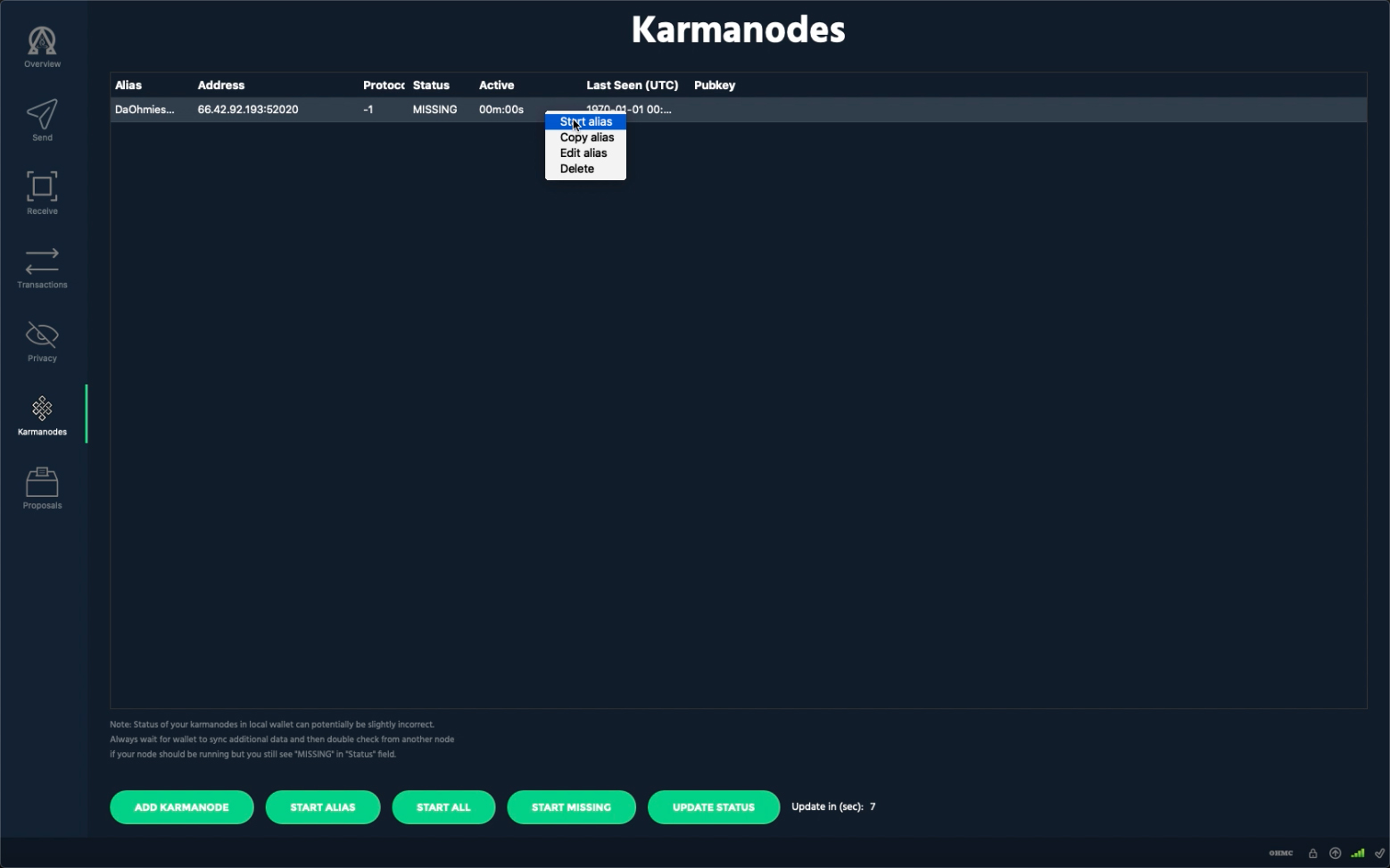
    Once your ohmcoin daemon is synced, you may start it with your wallet. Navigate to the karmnode tab in your wallet right click on your karmanode and select "start alias".

Download

 
Discord
Twitter
Facebook
Reddit

Title

Lorem ipsum dolor sit amet, consectetur adipiscing elit, sed do eiusmod tempor incididunt ut labore et dolore magna aliqua. Ut enim ad minim veniam, quis nostrud exercitation ullamco laboris nisi ut aliquip ex ea commodo consequat.